
To schedule an Instagram Reel in advance, upload the finished video to Instagram's own in-app scheduler, Meta Business Suite, or a third-party tool, pick a publish time, and it posts automatically without you touching your phone. All three paths exist and all three work. What none of the how-to guides mention upfront is that a scheduled Reel is a locked file the moment you queue it, and that has a real cost the moment trending audio matters.
That's the gap this guide covers: not just the mechanics of queuing a Reel, which take five minutes to learn, but the trade-off that decides whether scheduling one is the right call for a given video in the first place.
What actually happens when you schedule a Reel
Every scheduling path, Instagram's own app, Meta Business Suite, or a third-party tool, runs on the same Content Publishing API, which accepts one thing for a Reel: a finished video file at a URL, plus a caption. There's no separate step for adding music, effects, or text overlays after the file is submitted. Whatever's baked into the export is what goes live, at whatever time you picked.
The trending-audio trade-off nobody mentions upfront
Instagram's in-app Reels editor has a separate, live-updating library of trending sounds you tap to add while you're recording or editing in the moment. That library only exists inside the app's own editor. A video exported for scheduling, whether the audio was recorded on the original clip or added in a separate editing app, arrives at the Content Publishing API as one finished file. There's no way to attach a sound from Instagram's own trending library to it afterward, on any scheduling path, including Instagram's own.
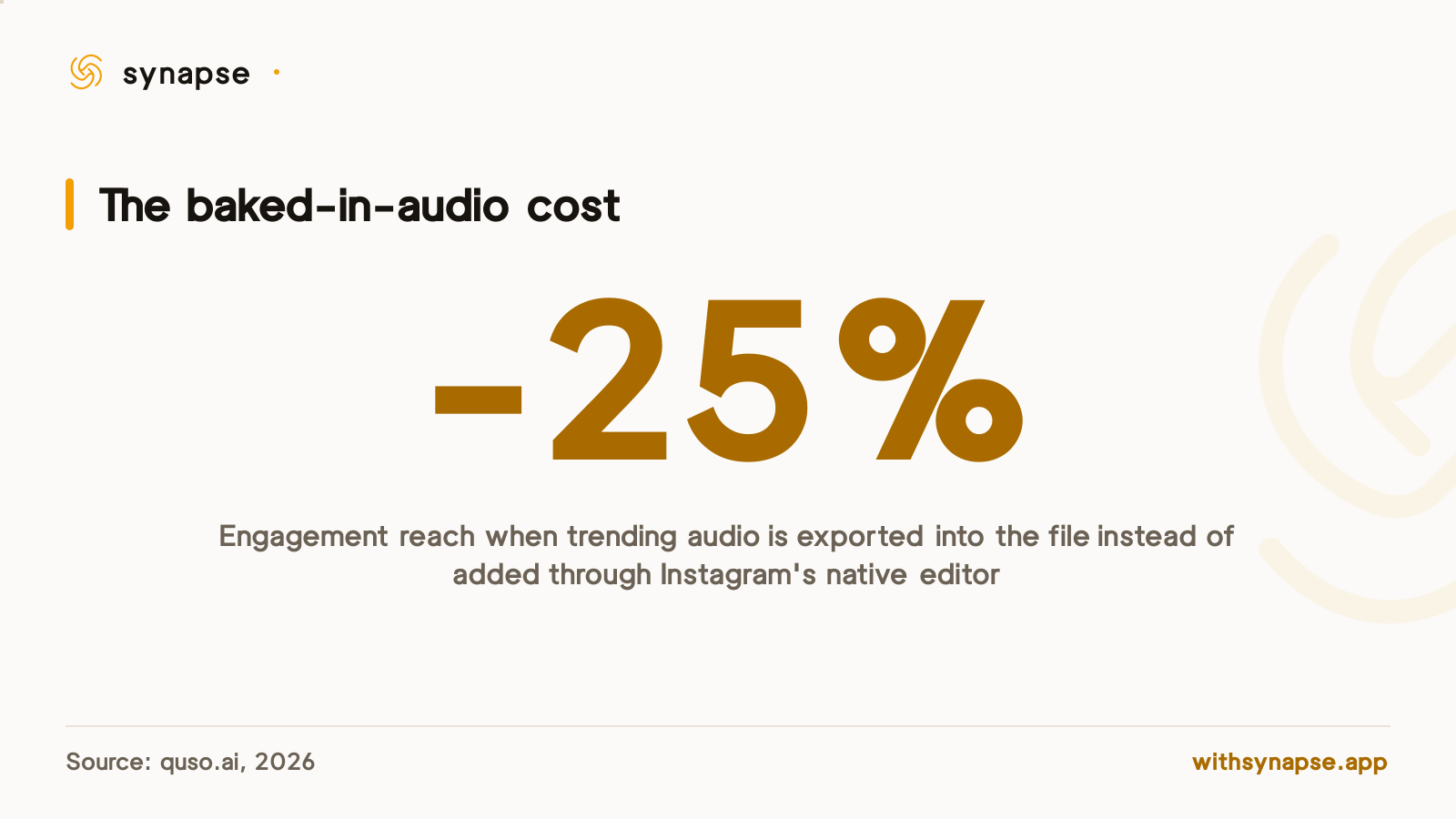
That's not an argument against scheduling Reels. It's an argument for being deliberate about which ones you schedule. A Reel built around your own voiceover, on-screen text, or a licensed track loses nothing by being queued three days out. A Reel built specifically to ride a sound that's spiking right now is a worse candidate for scheduling than for posting live, because the sound's momentum can pass before the queued file goes out, and the file itself doesn't refresh.
Reels-specific requirements before you schedule one
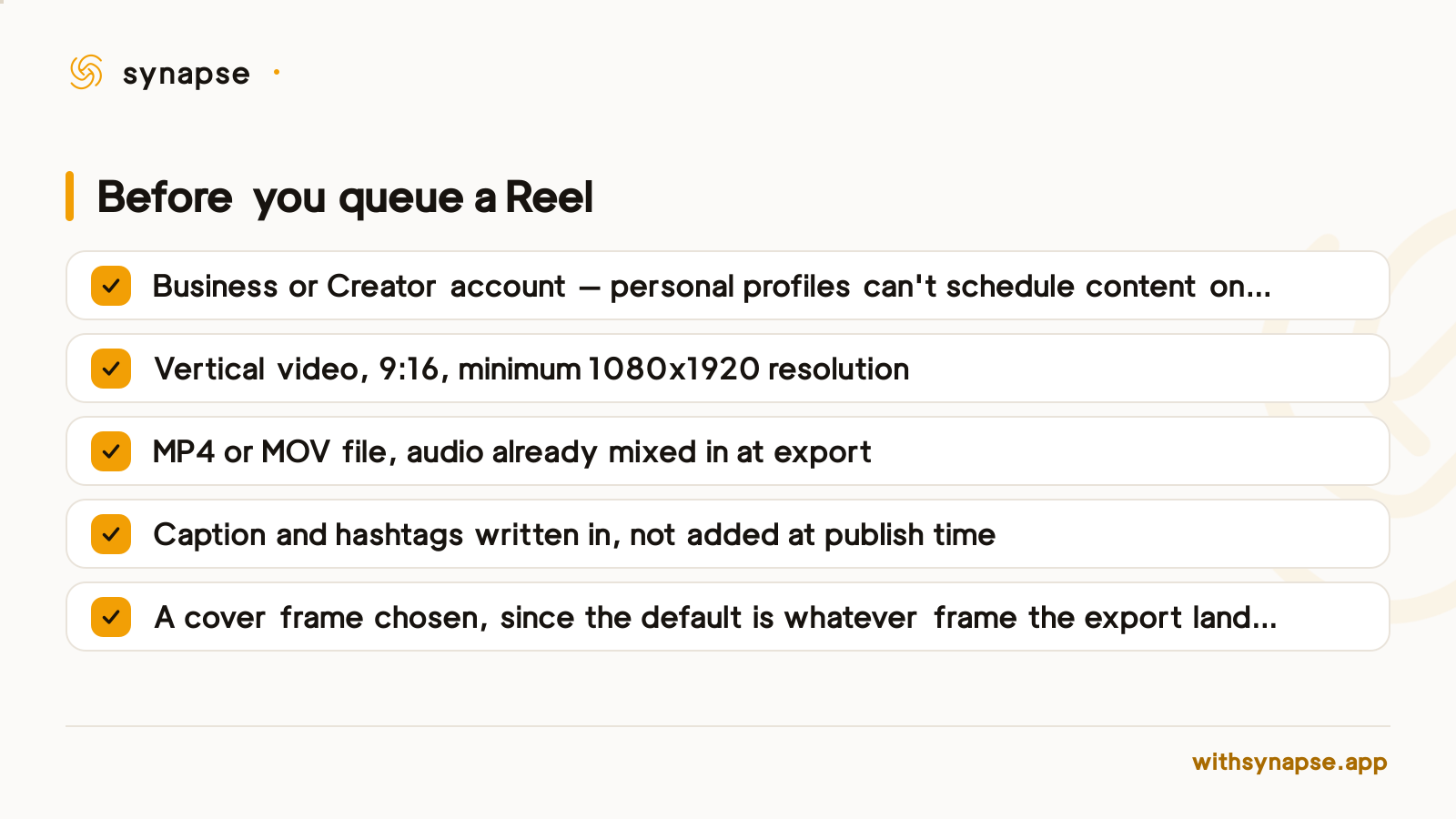
A Reel that fails to publish on schedule almost always failed one of these checks before it was ever queued.
Native scheduler vs Meta Business Suite vs a third-party tool, for Reels specifically
The three paths accept the same file and hit the same API, so the differences that matter for Reels are narrower than a general feature comparison suggests.
| Path | Trending audio | Cross-posts the same clip elsewhere | Retries a failed Reel automatically |
|---|---|---|---|
| Instagram app (native) | No, once queued | No | No, it drops from the queue silently |
| Meta Business Suite | No, once queued | No | No |
| Third-party tool (e.g. Synapse) | No, once queued | Yes, to other connected platforms | Depends on the tool — check before relying on it |
None of the three get around the audio limitation; that's an API-level constraint, not a gap in any particular tool. Where they diverge is what happens to the same video after the Reel goes out, and what happens when a scheduled post fails silently instead of publishing.
When to schedule a Reel for the best reach
If a Reel doesn't depend on a live trending sound, the audio trade-off above stops applying and the question becomes an ordinary one: what time of day gets it in front of the most people. Our guide to the best time to post on social media breaks that down by platform and day of week. The one Reels-specific wrinkle: if a sound is climbing right now and the plan is to ride it, posting live beats scheduling even a few hours out, because the file locks the moment it's queued and the sound's window can close before it airs.
Scheduling a Reel alongside other platforms
A Reel and a TikTok video and a YouTube Short are the same shape of file: vertical, short, sound-on. Our full Instagram scheduler guide covers Instagram's own caps and pricing across tools in depth; the short version for Reels specifically is that a generalist scheduler built around one composer can queue the identical export to more than one of those feeds in the same send, rather than re-uploading it three separate times.
Synapse's composer takes one video, lets a separate caption sit under each connected platform, and queues it to Instagram, TikTok, YouTube, and six other networks from the same screen, starting at $7/month on the Starter plan. If a Reel fails to publish, only the account it failed on gets retried, the ones that already posted successfully are left alone rather than sent twice.
Frequently asked questions
Can I add trending audio to a Reel I've already scheduled?
No, on any scheduling path. Instagram's live trending-audio library only attaches to a Reel inside the app's own editor at the moment of creation. Once a video is exported and submitted for scheduling, the audio is fixed.
Do scheduled Reels perform worse than ones posted live?
Only when the Reel depends on a trending sound. Baking that audio into the export instead of adding it natively measures a 25% drop in engagement reach, per quso.ai's 2026 analysis. A Reel built around original audio, a voiceover, or a licensed track doesn't carry that penalty.
Can a personal Instagram account schedule Reels?
No. Every scheduling path runs on Meta's Content Publishing API, which only accepts Business or Creator accounts. A personal profile has to switch account type before scheduling anything.
What video format does a scheduled Reel need to be?
Vertical 9:16, MP4 or MOV, minimum 1080x1920 resolution, with the audio already mixed into the file at export.
How far in advance can I schedule a Reel?
Instagram's own scheduler and Meta Business Suite share the same account-level cap, detailed in our Instagram scheduler guide. Third-party tools run on a separate, higher publishing limit.
Can I schedule the same Reel to TikTok and YouTube Shorts too?
Not through Instagram's own scheduler or Meta Business Suite, both post to Instagram only. A cross-posting tool that takes one video and queues it to several vertical-video feeds at once covers this without a separate export for each platform.