
An Instagram scheduler is a tool that queues a post, Reel, carousel, or Story ahead of time and publishes it automatically at the moment you picked. Instagram's own app and Meta Business Suite already do a version of this for free, so the real question for anyone comparing tools in 2026 isn't whether scheduling exists, it's which content types and account counts a given tool actually covers, and what native scheduling quietly leaves out.
Most people who end up searching for a third-party scheduler already tried the native option first. It works fine for one account posting a couple of times a week. The friction shows up once you're running more than one account, want to plan a Story alongside a feed post, or need the same content going out to more than just Instagram, at which point the free tools' gaps stop being a minor inconvenience and start shaping the whole workflow.
What Instagram's own scheduler can and can't do
Instagram added native scheduling for posts, carousels, and Reels inside the app itself, alongside the longer-standing option in Meta Business Suite. Both require a Business or Creator account, since Instagram's Content Publishing API, the layer every scheduling path runs on whether it's Instagram's own tool or a third party, only accepts professional accounts. What neither native option does: schedule a collaborative post, the two-creator tag has to be added when the post goes out, not queued in advance. Stories are also left out of the in-app scheduler entirely and need Meta Business Suite specifically to schedule at all.
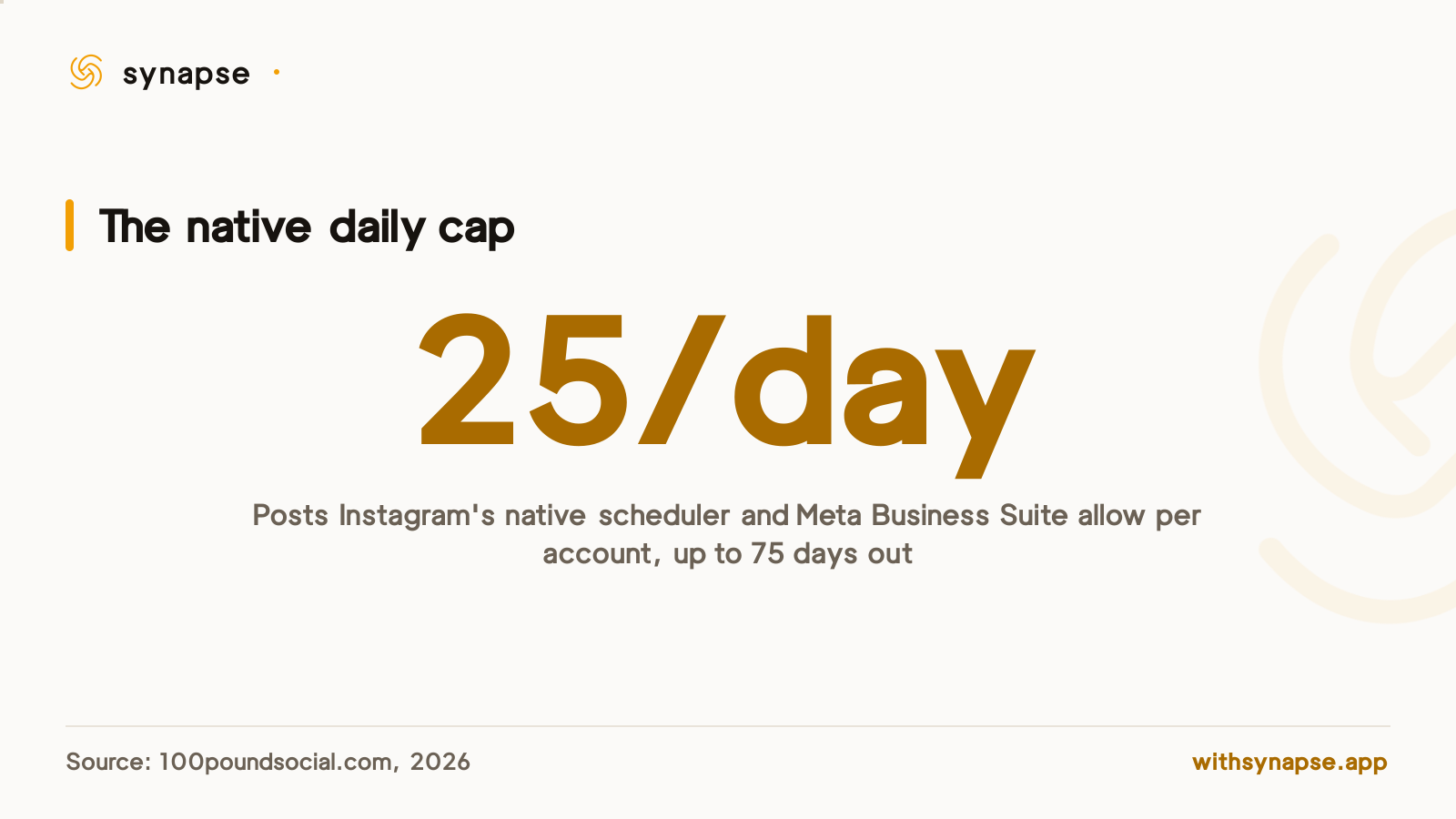
The caps matter more than they look at first glance. Native and Meta Business Suite scheduling both allow up to 25 pieces of content a day per account, scheduled up to 75 days in advance. That's plenty for one account posting a few times a week. It gets tight for an agency running several client accounts, since each one means switching logins inside Instagram's own tools rather than managing them from one screen.
Meta Business Suite also needs the Instagram account linked to a connected Facebook Page and runs primarily as a desktop tool, so scheduling a Story specifically means moving the work off the phone where most Instagram content actually gets shot and edited in the first place. For a single feed post that's a minor detour. For a Story meant to go out the same day, it's an extra step, and one that a third-party tool posting straight from a connected account skips entirely.
Instagram scheduler pricing in 2026
Every figure below comes from the vendor's own pricing page as published in August 2026. Account caps and content-type support move more often than headline prices, so check the current page before committing.
| Tool | Price (Aug 2026) | Instagram specifics | Notes |
|---|---|---|---|
| Instagram (native + Meta Business Suite) | Free | Posts, carousels, and Reels; Stories only through Meta Business Suite | No collaborative-post scheduling, no cross-posting to other platforms |
| Pallyy | $25/month (Pro, 1 social set) | Unlimited posts, social inbox, AI captions | A second Instagram account needs an extra $10/month social set add-on |
| Later | $25/month (Starter, 8 profiles) | Native Instagram scheduling and analytics | The 8 profiles are shared across every connected platform, not reserved for Instagram |
| Buffer | $6/month per channel | Automatic publishing, basic analytics | Priced per connected channel, so a second Instagram account adds another $6/month line |
| Synapse | $19/month (Creator, 15 accounts) | Single image, carousel, Reel, or Story, with up to 3 tagged collaborators | Flat rate covers Instagram alongside 8 other platforms; full math in our cheapest scheduler breakdown |
What to check before you pick an Instagram scheduler
Price is the easy comparison. The content types and account limits underneath it are what actually decide whether a tool fits how you post.
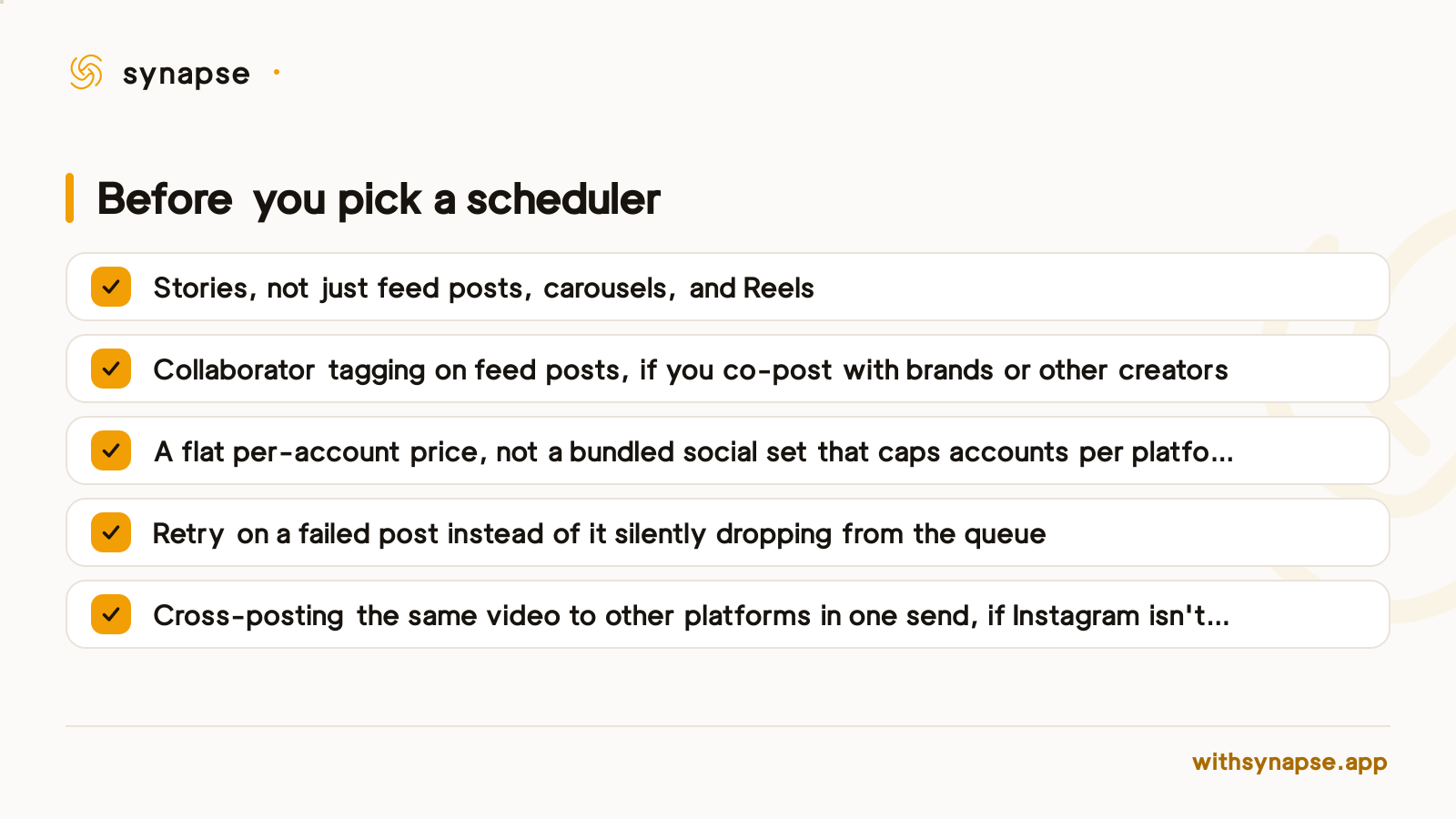
The social-set pricing model in that checklist is worth working through with real numbers. A small agency running three Instagram accounts on Pallyy needs one Pro plan plus two extra social-set add-ons, roughly $25 plus $10 twice, about $45 a month, and that's before adding a second platform for any of those clients. The same three accounts fit inside Synapse's $19/month Creator plan, which covers 15 accounts total, with no per-account add-on and eight other platforms already included.
If Instagram is one of several platforms you post to
Instagram-specific tools are the strongest choice for someone who only posts to Instagram: deeper analytics, creation tools built around the feed and grid, sometimes a social inbox baked in. The trade-off shows up the moment a second platform enters the picture. A dedicated Instagram tool doesn't touch TikTok, LinkedIn, or Bluesky, and running two subscriptions to cover two platforms usually costs more than one tool that handles both.
Synapse builds Instagram as a direct integration rather than a generic post target: a single image, a carousel of up to 10, a Reel, or a 24-hour Story can go out with up to 3 tagged collaborators on feed posts, and the same vertical video can cross-post as a Reel or Short to Instagram, TikTok, Facebook, and YouTube at once. That runs on the same per-account scheduling and retry logic used across every connected platform, sent from one composer that reaches every connected account: X, LinkedIn, Bluesky, YouTube, Pinterest, Facebook, Threads, and TikTok, all live today under the same $19/month Creator plan.
Generalist schedulers that treat Instagram as one channel among many often show that gap in the caption box itself: one shared caption gets copied to every platform, hashtags included, which reads fine on Instagram and awkward on LinkedIn or X. Synapse's composer writes one main caption and lets each connected platform carry its own override before it sends, so the same post can keep Instagram-style hashtags on Instagram and a shorter, hashtag-free version on X without writing a second draft.
Frequently asked questions
Does Instagram have a free built-in scheduler?
Yes. Both the Instagram app and Meta Business Suite let a Business or Creator account schedule posts, carousels, and Reels at no cost.
Can I schedule Instagram Stories?
Not from the Instagram app's own scheduler. Stories need Meta Business Suite specifically, and interactive elements like polls don't always carry through to a scheduled Story.
Can I schedule a collaborative Instagram post?
Not through Instagram's native scheduling tools, where the collaborator tag has to be added at publish time rather than queued in advance. Synapse's direct integration supports tagging up to 3 collaborators on a scheduled feed post, since Meta's own Content Publishing API accepts collaborator tags on the same call that creates the post.
How many posts can I schedule on Instagram in one day?
Instagram's own scheduler and Meta Business Suite both cap out at 25 pieces of content a day per account, up to 75 days ahead. Third-party tools run on Meta's separate Content Publishing API limit instead, 100 published posts per rolling 24 hours per account.
Do I need a Business or Creator account to use a scheduler?
Yes. Every scheduling path, Instagram's own app, Meta Business Suite, or a third-party tool, runs on Meta's Content Publishing API, which only accepts Business or Creator accounts.
What's the cheapest way to schedule Instagram alongside other platforms?
It depends on account count. At 1 to 2 accounts a free tier often covers it. Past that, flat per-account pricing like Synapse's $19/month for 15 accounts usually beats a stacked per-social-set model; full math in our cheapest scheduler guide.