
If you're trying to schedule a first comment on Instagram and Facebook, here's the direct answer: neither platform supports it natively. Meta Business Suite and the Instagram app both let you schedule the post itself, but the comment that follows still needs a human to type it the moment the post goes live, or a scheduling tool that holds the extra permission Meta requires to publish a comment through its API.
That gap is why the question keeps coming up. A first comment lets you drop hashtags, a link, or a call to action underneath a post without cluttering the caption, and posting it fast after publish gives the algorithm an early signal that the post is getting attention. Getting it right means knowing what Instagram and Facebook actually allow, what a scheduling tool needs before it can automate the step for you, and what changed with Instagram's hashtag rules in 2026.
What a first comment actually does for a post
A first comment is text you add underneath your own post, timed to land the moment it publishes rather than whenever you happen to remember. Creators use it for two things: keeping the caption itself short and readable by moving hashtags or a link into the comment instead, and creating early engagement before real followers arrive, since a comment section that already has activity in it reads as more alive than an empty one.
Can you schedule a first comment on Instagram or Facebook directly?
No. Instagram's app has no field for a follow-up comment when you schedule a post, and Meta Business Suite works the same way: it schedules the post, not anything that comes after it. Planable's own walkthrough of the process makes the same point before recommending a third-party tool for the automated version, because Meta's native scheduling stops at the post itself.
How scheduling tools automate the step
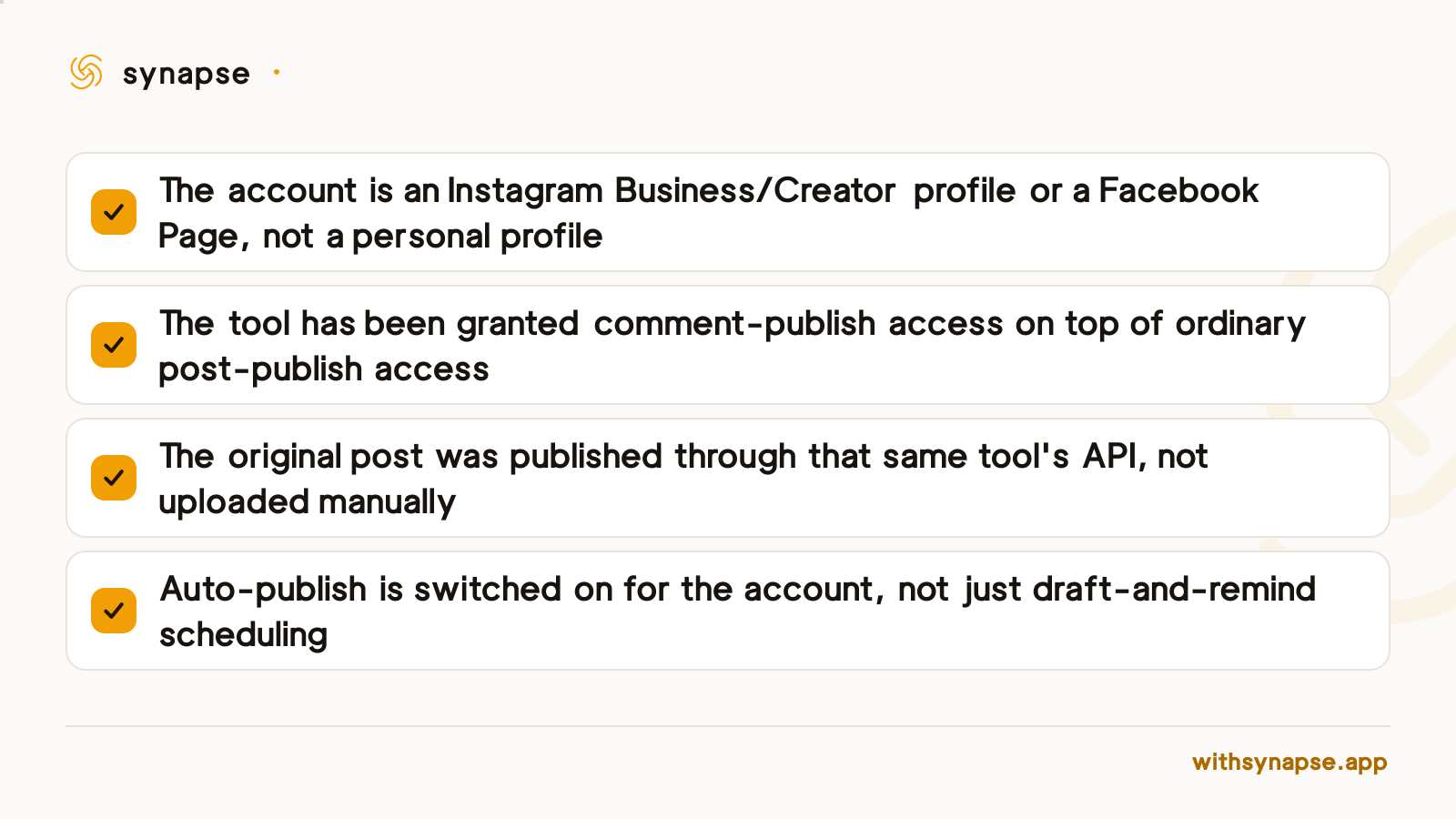
Tools that do automate a first comment do it in two calls to Meta's Graph API: one to publish the post, a second fired immediately after to post the comment underneath it. That second call only works if the connected account is an Instagram Business or Creator profile (or a Facebook Page) and the tool has been granted comment-publish access on top of ordinary posting access, which is a narrower permission than the one most schedulers request by default.
Later's own documentation lays out what that looks like in practice: the feature only fires when Auto Publish is turned on, the account has to be a business or creator profile, and the comment itself is capped at 2,200 characters with up to 10 @mentions, the same technical ceiling Instagram puts on the caption. Skip any of those requirements and the tool falls back to a manual reminder instead of an automatic comment.
Instagram's 2026 hashtag rule change affects what goes in the comment
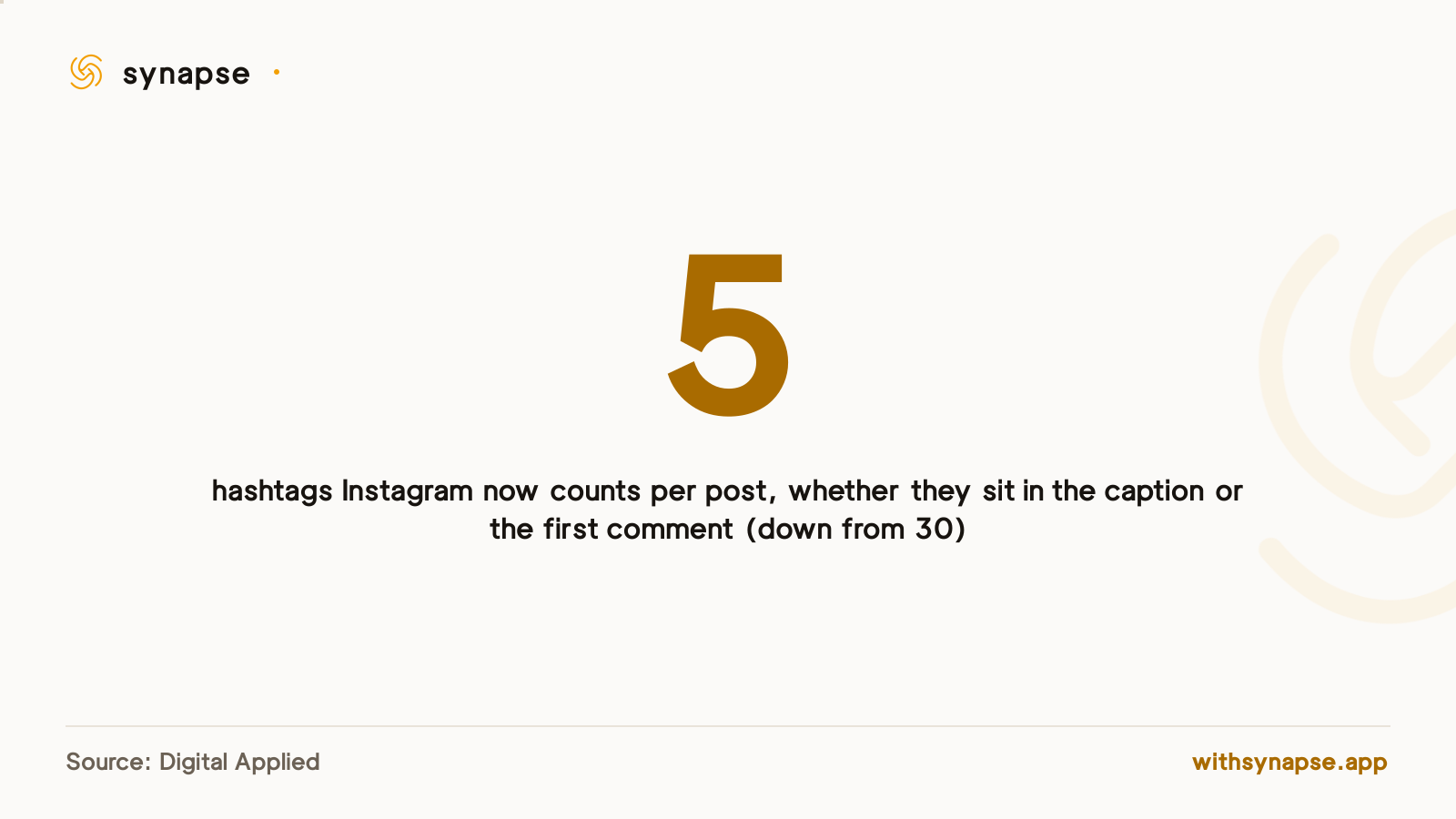
The other reason first comments matter less than they used to: Instagram cut its per-post hashtag count from the old ceiling of 30 down to 5, and Digital Applied's analysis of the rollout found that placement no longer changes the math, because Instagram counts hashtags in the caption and the first comment the same way toward that same limit. Stuffing 30 tags into a comment to dodge a caption limit stopped working; the old workaround and the current rule now land on the same 5-hashtag count wherever you put them.
The manual routine: posting a first comment the moment you go live
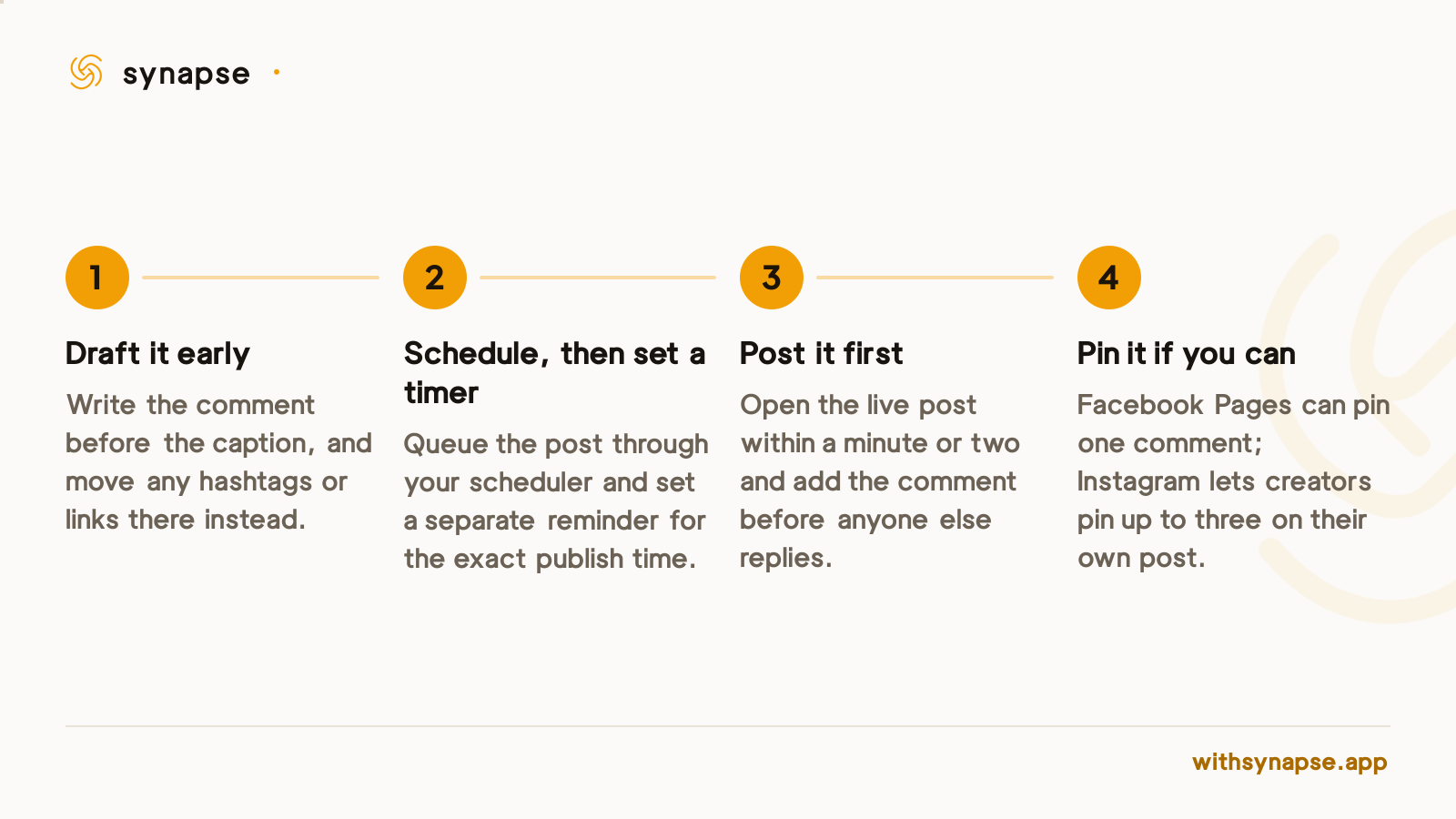
Without an automated tool, the routine is short, and it runs on a timer rather than a memory.
Where Synapse fits today
If you already cross-post through Synapse, its first-comment field works today on LinkedIn and Bluesky: both platforms grant a comment-publish scope through the same connection used for posting, so the comment goes out right after the post succeeds. Instagram and Facebook need the additional Meta permission described above, so for those two networks the manual routine is still the fastest path for now.
For the scheduling side of the job beyond first comments, the Instagram scheduler and Facebook post scheduler breakdowns cover what each platform's own tools can and can't do, from posting reels to queuing a week of content at once.
Frequently asked questions
Can I schedule a first comment natively on Instagram?
No. Instagram's own scheduling, in the app or through Meta Business Suite, only schedules the post itself. A follow-up comment still needs to be added manually the moment the post goes live, or through a third-party tool with comment-publish access.
Does Facebook let you schedule a first comment?
Not natively. Meta Business Suite schedules the Facebook post, not a comment underneath it, so the same manual routine or third-party automation applies as it does on Instagram.
How many hashtags can go in an Instagram first comment in 2026?
Up to 5 total, counted across the caption and the first comment combined. Instagram cut the old 30-hashtag ceiling in 2026, and placement no longer changes how the count is applied.
What does a scheduling tool need to auto-post a first comment?
A connected Instagram Business or Creator profile (or a Facebook Page), comment-publish access on top of normal posting access, and the original post published through that same tool's API rather than uploaded by hand.
Can Synapse schedule a first comment on Instagram and Facebook?
Not yet. Synapse's first-comment field posts automatically on LinkedIn and Bluesky today, where the same connection used for posting already covers commenting. Instagram and Facebook need an additional Meta permission, so those two still take the manual routine described above.
Is it worth pinning the first comment after posting it?
Yes, where the platform allows it. Facebook Pages can pin one comment to the top, and Instagram lets creators pin up to three comments on their own post, which keeps the first comment visible even after others start replying.